
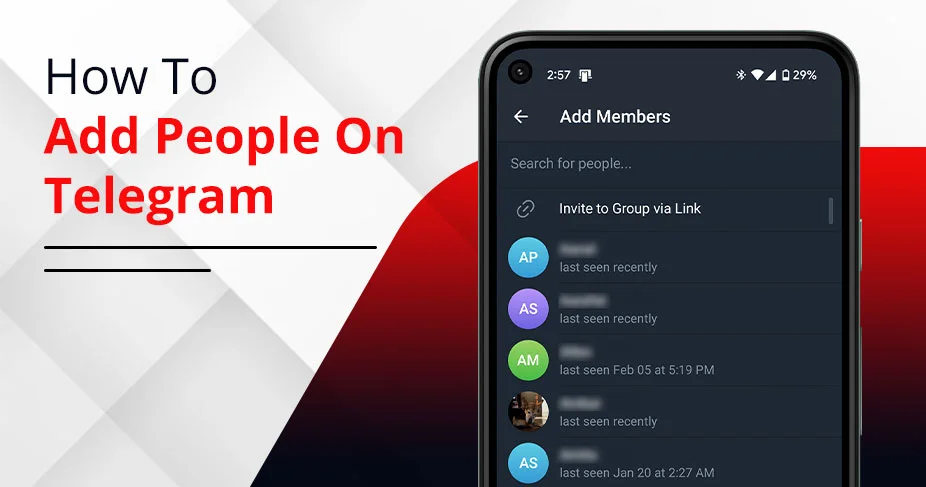
How To Add People On Telegram – Use Contact Number, QR code, Username and Invite Link
Launched in 2013, Telegram is a cloud‑based messaging app that offers fast syncing across devices and optional end‑to‑end encrypted secret chats. For standard chats, it offers an encrypted server-client facility. It saves your messages, links, and other media on Telegram’s server and can be accessed online from multiple devices at the same time. Along with that, Telegram allows users to add up to 2,00,000 people in a group, while channels can have unlimited subscribers. Isn’t it fascinating? If you are an influencer, run a business, and frequently interact with your audience, you can opt for Telegram. This guide will educate how to add people on Telegram through multiple options, so read on.
Quick Recap!
- You can add people from your contact list or by searching their username on the Telegram app.
- Free users can share data of up to 2 GB, including photos, videos, voice notes, and others, on Telegram. While premium users can share up to 4 GB of content, with faster download speeds.
- Anyone can create a group or channel, and add contacts through username or contact number, invitation links, or via profile QR codes.
- If you can’t add a user, it’s because they have restricted from being added by random users or allowed only to their contacts.
Understanding How Telegram Contacts Work
Telegram is a quick and secure messaging app with the ability to add up to 2,00,000 members at a time. The app requires phone number registration to sync with other contacts using the app. Remember: you need to allow Telegram to access your contacts to see others using the app. However, that’s not necessary to allow accessing the contact to use the app.
Moreover, you can add users on Telegram using their usernames, phone number, and QR codes. We will explore options to add users to your Telegram profile, group or channel.
Note: Earlier, “People nearby” option was used to discover new users, but Telegram removed it in 2024 due to scammer issues. However, it’s replaced with businesses nearby that help find authentic businesses in your location.
How To Add People On Telegram Using Phone Number
If you want to add an individual to your Telegram account using their phone number, that’s possible through the Telegram application. The steps below will help you with that:
- Install Telegram on an Android or an iPhone device.
- Open the Telegram App (with blue aeroplane-like icon).
- Access the contacts option by tapping bubble like icon on the right side.
- Allow contacts to sync-in.
- Select the contacts from the list and start messaging.
How To Add People On Telegram Without Phone Number – 3 Methods!
You might wonder how to add someone on Telegram if you don’t have their phone number, but there are several ways to connect without saving their contact. Explore the methods to add others on Telegram:
1. Add through Username:
Users can keep their contact details private when they utilize a username to add someone on Telegram. They can create a username, and others can use it to add them. Yes, usernames are customizable, and users can set them up on Telegram as per the platform’s terms & conditions. Your Username should have “@” to find it globally.
If you know the username of the person you want to add, simply follow this to add them:
- Open the Telegram app.
- Tap the search icon.
- Enter the username.
- Select from the suggestions.
- Visit their profile by clicking on their profile.
- And tap the “Add to Contact” option.
After you add them successfully, their profile appears in your Telegram contact list.
Note: Although the username option is easy and quick, you should be careful while adding people because many mimic an authentic profile of a brand or something. Always put your safety first.
2. Add through “Invite Links”:
When you have created a new group or channel for promotion or educational purposes, you can invite members to the group through the “Invitation Link” or URL. For that, first, you create the group to generate a group link. Then, send the link to the user. Here’s the step:
When you create a new group
- Open the Telegram App.
- Select the Bubble with the + icon on the right side.
- Tap “new group”
- Now, select users from your contact list.
- Name the group.
- Tap the “Add Members” option within Group chat.
- And tap on the “copy Invite Link.”
When you have an existing group:
- Open Telegram.
- Select your group and tap the group name.
- Click “Add members” option.
- And select contacts from the list.
- Tap to add.
Note: The Telegram channels can be formed by tapping “New channel” > adding name & description > selecting public or private > and sharing the link with others to join it.
3. Add through QR Codes:
Another option to add someone is to use QR codes. You can generate your own code for a personal account or group, which you can send to others as a link for adding.
Ask the person to open the QR code:
- Visit the profile
- Tap the username section.
- Click three dots (note: if you’re using older version).
- Tap on the QR code icon.
- Scan the QR code using your app’s camera.
Alternatively,
The person can even send their personalized profile QR code to scan it by opening it through the Telegram app. And add them successfully.
How To Add People To Telegram Groups
Adding people to Telegram groups is possible manually by selecting the user from the contact list. You can also send a group invitation link or QR code of your profile to use for adding purposes. The maximum you can add manually is 200 members to a Telegram group. Check the process to add:
To add to groups directly:
- Create and Open a Telegram group.
- Tap the group name and select “add members” option.
- Select the users you want to add from your contact list.
Add through Link:
You can add through “Copy Invite Link” option, which you will find within your group.
- Just visit your group.
- Tap your group name at the top.
- Just tap the group link.beside the QR code.
- A new pop-up will appear with group link.
- Finally, tap the “copy” option at the bottom.
Add through QR code:
- Visit your Telegram group.
- Press at the top of the group name.
- Select the QR icon.
- Ask others to Scan or Share the QR code with others by selecting users.
How To Find New People On Telegram
You can search for new people on Telegram using options. Explore each one below:
Option 1: Use Contacts option: As you allow Telegram to sync with your contact list, you can discover new users and connect with them. To do so,
- Open Telegram.
- Select Contacts option.
- Allow Telegram to access your phonebook
- You will find the list of contacts using Telegram.
- Select one and start messaging.
Option 2: Join Group/Chats chats: You can join various groups and connect with new people. To do so:
- Join a Public group or channel.
- Find group member: Tap the group name at the top to find the group member list.
- Select the user common in the group and connect with them.
Option 3: Use Username: You can search for a particular person using their username, group or community and connect with them from there. To do so,
-
- Open Telegram.
- Select the search icon.
- Enter username.
- Select profile.
- And start messaging.
Troubleshooting: Can’t Add People On Telegram?
Some situations will be like you are unable to add people to Telegram. This should be addressed quickly. The possible scenarios we have faced while adding people on Telegram are as follows. Check if one of the reasons is active in your case.
- Privacy Settings Disallowed: It may be users’ own privacy settings or restrictions that don’t allow random people to add. That is why you’re unable to add them on Telegram or vice versa.
Solution: If it’s a particular user, you can ask to unrestrict their privacy settings so that you can add them to a group. Although agreed or not is their own wish.
- Blocking: If you’re blocked by the user, you are not allowed to connect with them unless they unblock you.
Solution: The only option you have is to ask them to unblock from Telegram. And then add them.
- Incorrect Username or Lacks “@”: Adding people with the wrong username will cause the problem. Also, if you have not set username with “@” as prefix, you cannot be found globally, but limit to the contacts only.
Solution: Use “@” before the username to search on Telegram. Type and check each letter to avoid mistake. Once found, Add to Contact or send an invitation link to add them successfully.
- Syncing error: If you don’t allow Telegram to access your contacts, it can’t sync with contacts and discover people.
Solution: Let Telegram access your contacts, search for the user in your contact list, and add them.
- Spam Restrictions: If you’re caught doing spam on Telegram, your account will get flagged, restricting you from adding people. This happens when you send spam content, add more than 200 people in Telegram group in a day, etc.
Solution: Avoid adding people at large. Send them the invitation link, and wait for their response. Avoid following unethical practices on Telegram.
Telegram Privacy Settings When Adding People
Here are some useful privacy tips for you before adding people on Telegram.
Hide phone number:
You should hide your phone number in a particular section, for example, hide from “Everybody” and hide from “my contact.” This will keep your contact details private from a select group of individuals, according to your preference.
Steps:
- Visit the settings
- Tap “Privacy & security”
- Select “phone number” under the privacy tab.
- Choose among: Everybody, My contact, and Nobody.
Control who can add you:
You can control who can add you on Tele. This happens by restricting the “invites” option by setting it to “Nobody.”
Steps:
- Open Telegram
- Tap Settings
- Click privacy & security
- Select “Invites” under Privacy tab.
- Choose among: Everybody (if allow adding by anyone), My Contacts (if allow only contacts) and Nobody (if don’t allow anybody).
Customize your preference:
You can restrict or control the following on Telegram:
- Who can view your profile picture
- Who can send you messages
- Who can call you
- Who can check your Bio
- Who can check your last presence on Telegram.
Steps:
- Just visit settings
- Tap privacy & security
- Under privacy tab, select: phone number, Last seen & online, and more options.
- And select among the three: Everybody, My Contacts and Nobody.
Safety Tips Before Adding Strangers on Telegram
Be it Telegram or any other apps, you should practice safety measures to avoid any kind of misfortune. Here’s how you can secure your Telegram profile before you add people to it.
Enable Two-step verification: Focus on securing your Telegram account from unauthorized access. Enable 2-factor authentication for the purpose.
To do it,
- Visit Telegram settings
- Tap privacy and security
- Select “two-step verification” under the “Security” tab.
- Click “set password” > enter password hint
- Set recovery email and enter verification code.
Verify they’re real users: Always be mindful that the users you are trying to add are authentic. Either you can chat with them before adding, or confirm their authenticity using other ways, like the blue verification badge on their profile, verify against official accounts on other platforms, etc.
Use secret chat: You can use secret chat for end-to-end encryption, which restricts message forwarding. You can’t sync secret chats through contacts, and you can enable a self-destruct timer. To enable it,
- Visit a particular profile you want to start secret chat with.
- Click at the top of their profile within the chat.
- Tap three dots
- Select “start secret chat” with a lock icon.
Avoid random links: Do not rush to click a random link coming from unknown profiles. These can be fatal to your Telegram account safety.
Conclusion
Telegram offers multiple options to add people to Telegram. You can use the user’s username and select Add to Contact. You can add the user through contact sync; allow Telegram to access your contacts. You can ask for the profile QR code to scan and add the user to Telegram. Also, sending them an invite link is another option. You can use any method discussed herein to add people safely on Telegram.
Frequently Asked Questions
Can I add someone on Telegram without saving their number?
Yes, you don’t necessarily need a contact number to add someone on Telegram; it’s possible through username as well. Just enter the username, find and tap to add.
Why can’t I find someone on Telegram?
Probably they haven’t installed the Telegram app or have not set up their account yet. Or, maybe you’re using the wrong username to search for the user.
How many people can I add to a group?
On Telegram, you can add up to 200,000 members to a group or channel and interact with them all at a time, making it one of the largest messaging apps to do so.
Can someone see when I add them?
Of course, the person can notice the group or profile name on their own Telegram account after adding it.
What happens if I block a contact?
They can no longer message or call you on Telegram, depending on your privacy settings. Your last seen, profile photo, and status updates, they can’t see anything. The fun part? They won’t be able to find that they’re blocked as a new user.