
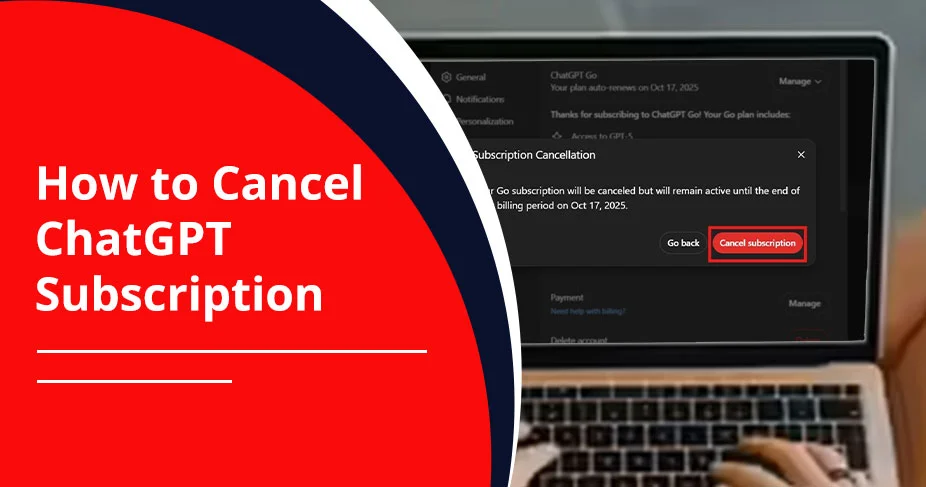
How to Cancel ChatGPT Subscription and Avoid Extra Charges!
ChatGPT cancellation doesn’t take enough time. You just need to enter the essential credentials for your existing ChatGPT account. After that, go to your Profile and click Settings. Then, head towards Accounts, and from the menu, click on Manage. Lastly, choose Cancel Subscription. You’ll be able to get access to Chat GPT Premium until the billing period is over.
These are the workarounds to follow when you are using your web browser. If you’ve taken the Chat GPT subscription from other platforms, such as the Google Play Store or App Store, check out our detailed blog.
Quick Guide!
- Cancel your ChatGPT subscription anytime, whether you’ve taken the plan from the Google Play Store, the App Store, or its own website.
- For Android, Google Play Store → confirm the email that you’ve signed up for Chat GPT → Payment and Subscriptions → Subscriptions → Chat GPT Subscription → Cancel Subscription.
- For iOS, Settings → Your Name → Subscriptions → Chat GPT → Cancel Subscription → Confirm.
- You will have access to the ChatGPT subscription till the very last day of the billing cycle
- Resubscribe to the desired ChatGPT subscription even after cancelling it.
- Your chats will remain the same after cancellation.
- Cancellation will immediately impact all recurring charges.
What Is a ChatGPT Subscription?
This is the paid tier of Chat GPT that offers various advantages, such as:
- Higher usage limits.
- Access to advanced GPT models, like GPT-4o or GPT-5.2.
- Advanced data analysis.
- Image generation.
- Custom GPTs.
Moreover, Chat GPT offers you five types of subscription plans.
- Free – $0/month
- Plus – $20/month
- Pro – $200/month
- Business – $25/user/month billed annually
- Enterprise – Contact Sales
Apart from that, costs may vary from region to region, such as in some countries that have Free, Go, Plus, Pro, Business, and Enterprise plans.
You can pay monthly or annually; that will totally depend on your chosen subscription plan. But understand one thing that the plans are automatically renewed to the next billing cycle. So, if you don’t want to keep the subscription anymore, cancel it before the next cycle.
Things to Know Before Canceling Chat GPT Subscription
Let’s take a look at some important points that we should know before cancelling the subscription.
- Subscriptions will automatically renew after each billing period ends.
- You can use the ChatGPT subscription till the end of the billing cycle.
- All your chats will be saved as they are.
- Cancel your subscription one day (24 hours) before the next billing cycle to avoid being charged.
- Refunds will not be initiated unless it comes under the exception cases.
-
- EU, UK, and Turkey residents can request refunds if they cancel within 14 days of purchase, as required by consumer protection laws.
- You may have charged twice mistakenly.
- Or, you may have come across a technical glitch.
Critical Warning! If you think that deleting the Chat GPT app will automatically cancel your paid subscription, it doesn’t. Google Play Store or App Store still charges you. So, you need to stop the subscription plan manually.
How to Cancel ChatGPT Subscription Web Browser (Desktop)?
By going through these workarounds, users can cancel the subscription from their default web browser.
- Visit ChatGPT.
- Enter the login information for ChatGPT.
- Head towards your Profile.
- Pick Settings.
- Move to the Account tab.
- Look for Manage in the pop-up menu.
- Click Cancel Subscription.
Pro Tip! While clicking on the Manage button, sometimes, you’ll be redirected to billing.stripe.com. This is the third-party service that is used by OpenAI to manage all the payments. In addition, it is totally safe and fully encrypted. So, there is nothing to worry at all.
How to Cancel Chat GPT Team Plan?
Note: Your personal account won’t work while canceling the team subscription. That’s why you must be an owner or admin to cancel your ChatGPT Team plan.
To do this, check out the instructions below.
- Go to Chat GPT.
- Here, type down the important credentials.
- Click the profile to proceed towards Settings.
- Move to the Billing Tab.
- Look for the ChatGPT Plan.
- Click on it.
- Choose Manage Subscription.
- Click Cancel Subscription.
Cancel ChatGPT Subscription on iPhone (iOS)
Check out these steps if you’ve subscribed on your iPhone.
- Open Settings.
- Find your name and tap on it.
- Choose Subscriptions.
- Here, you’ll see all the active subscriptions.
- Look for ChatGPT. Tap on it.
- Tap Cancel Subscription.
- A new screen will appear.
- Confirm that you are cancelling the subscription.
How to Cancel ChatGPT Subscription on Android?
Have a look at these instructions for Chat GPT cancellation of the subscription plan on your Android device.
- Launch the Google Play Store.
- Make sure you are logging in to the right account where you’ve subscribed to ChatGPT.
- Go to Payment and Subscriptions.
- Look for Subscriptions.
- Tap on it.
- From the list, select the ChatGPT subscriptions.
- Select Cancel Subscription.
- After that, follow the on-screen guide.
Warning! You can’t cancel the subscription from ChatGPT’s website if you’ve purchased the subscription from the Google Play Store or App Store.
How to Verify Cancellation Status?
Before proceeding further, check whether you have successfully cancelled the ChatGPT subscription or not.
- Check your email once you’ve cancelled the subscription.
- Make sure to verify the expiry date for when the subscription is going to end.
- For web-based, check out these instructions:
- Search for ChatGPT on your default browser.
- Enter the necessary information to log in to your ChatGPT account.
- Head to your Profile.
- Choose Settings.
- Pick Subscriptions.
- Select Manage.
- Here, you need to cross-check your subscription status. Verify billing dates as well as manage your plan.
How to Remove Your Credit Card Details from ChatGPT?
Follow these instructions to remove your credit card details from Chat GPT.
- Go to ChatGPT’s Settings by clicking on your Profile.
- Navigate to the Account Page.
- Click Payment and then Manage.
- Here, remove your card details and choose another payment option.
Read Also:- Why Is Chat GPT Not Working?
What Happens After You Cancel Chat-GPT Subscription?
Are you unsure about what you lose or not after cancelling the subscription? Check out this.
- You will lose access to GPT Builder and GPT Store.
- Your GPTs will be saved properly.
- Your premium account will be converted into a free account when the billing period ends.
- The plan will be cancelled, but you will be able to use the premium features until the end of the billing cycle.
- You will not get refunds for the unused portion of your subscription plan.
Common Problems While Canceling ChatGPT Subscription & Fixes
Various users face challenges while cancelling the Chat GPT subscription. So, here are the troubleshooting solutions.
Error 1: Won’t Be Able to Find the Cancel Button/Option:
Solution: First, confirm that you’ve signed in with the associated email address by matching it with your profile. Then, you need to make sure that you are using the appropriate platform from where you’ve signed up for the ChatGPT membership plan. Then, you need to clear the browser cache. Otherwise, you can simply open Chat GPT in a different window.
Error 2: Error Messages During Cancellation:
Solution: Consider turning off VPNs or proxies because they may trigger OpenAI’s security measures. Or, you can try after some time.
Error 3: Still Getting Charged:
Solution: You need to make sure that you’ve successfully completed the cancellation process. Or, if you are still getting charged, it’s high time to connect with OpenAI’s customer support. To contact customer support, visit https://help.openai.com/en/contact-us. Here, you need to mention your email address and last charge date so that they can figure out your query.
Alternatively, you can raise the billing dispute with your credit card company or bank.
Does ChatGPT Refund Money?
No! As per Chat GPT’s refund policy, it is clearly stated that you will not get any refunds. However, there are some exceptions where ChatGPT can provide you with a money-back. These are as follows:
- EU/UK/Turkey Residents: These users are eligible to request refunds if they cancel the subscription within 14 days of purchase.
- Unauthorized Errors: If you are facing unauthorized errors, contact OpenAI’s support team. If they determine that you are eligible to request the refund, they will provide it to you.
Important Point to Be Considered! If you have taken the subscription from the App Store, it is highly recommended that you should check your Apple portal.
If a user subscribed to Google Play Store, follow these workarounds.
- Look for Chat GPT on your browser.
- Navigate to the Help Center Page.
- Look for the chat widget or a chat section.
- On chat, request customer support to refund your money.
- If they determine that you are eligible, they will proceed with giving your money back within 10 days.
Switching Plans, Pausing, or Downgrading
First of all, ChatGPT doesn’t offer you any pause or downgrading option. You can do only one thing, which is simply cancel the Chat GPT membership plan. When you cancel, your plan remains active until the end of the current billing cycle, after which it downgrades to the free tier. After that, you won’t need to pay anything whenever you don’t want to.
Important Note!
- If you want to upgrade your Chat GPT subscription, simply navigate to Settings. Then, choose Upgrade Plan. Make sure that you need to pay an extra amount based on your preferred plan.
How do I Export My Chat GPT History and Data?
Follow all these steps that are listed below.
- Sign in to your ChatGPT account.
- Move towards your Profile.
- Choose Settings.
- Select Data Control Menu.
- Click Export under the Export Data option.
- Click on the Confirmation Export message.
- You will get the email of all your exported data.
Note: You need to open the email within 24 hours. Otherwise, the link will expire.
- Click on the Download data export option. The file will be downloaded in a .zip format.
How to Delete Your ChatGPT Account?
There are two options for deleting your Chat GPT account. Take a look.
Option A: Submit Request to Chat GPT’s Privacy Portal
- Navigate to https://privacy.openai.com/.
- Choose Make a Privacy Request.
- Click on I have a consumer ChatGPT account.
- Choose Delete My Chat GPT account.
- Follow all the instructions that are mentioned on your screen.
Option B: Self-Serve in ChatGPT
-
- Visit https://chatgpt.com/.
- Click your Profile.
- Choose Settings.
- Move to Account.
- Click Delete under the Delete Account category.
- You can only delete your account when you have logged in to your account within the last 10 minutes for security measures.
- Here, you’ll see the confirmation window.
- Type down your email address and then mention DELETE. These inputs will easily open the Permanently delete my account button.
- Just click on this button.
For iOS/Android:
- Start using the ChatGPT app.
- Move towards the account settings.
- Choose Data Controls.
- Tap Delete Account.
- If you have changed your mind, just choose Cancel.
Essential Points to Be Noted!
- All your data, such as custom GPTs, chats, and your profile information, will be deleted within 30 days after deleting your account.
- You can also create a new account by using the same email address after 30 days.
- After deleting your account, you won’t be able to change your authentication process.
- You can only use your mobile number up to 3 times to verify your new account.
Wrapping Up!
Cancelling the ChatGPT subscription plan can be done in a few clicks without needing any technical jargon. But understand that Chat GPT doesn’t offer you any pause or degrade option. So, cancellation is the best solution. Moreover, if you want to delete your account, keep one thing in your mind very clear that all your information will be erased within 30 days. Besides this, you can use your email address and phone number even after deleting your account.
Mostly Asked Questions And Their Solutions
Check out some important queries about the cancellation of the ChatGPT subscription plan.
Q1. Is ChatGPT Plus worth it?
Ans. YES! ChatGPT is beneficial for those who are willing to utilize all the premium benefits, such as:
- DALL-E 3 image generation
- Custom GPT creation
- GPT-5 access
- Data analysis
Q2. Can I cancel before the trial ends?
Ans. No! There is no free trial available. However, you can consider using the free plan, which has limited access to the advanced features.
Q3. How to check active subscriptions?
Ans. It totally depends on how you have taken the ChatGPT subscription. After that, visit the OpenAI website, Google Play Store, or App Store, and then check your active subscription.
Q4. Can I cancel from the email confirmation?
Ans. No! However, there is an indirect way: open the ChatGPT email. Then, use the provided link to navigate to the payment/subscription page, and here, cancel the subscription by clicking on the Cancel button.
Q5. Can You Re-Subscribe to ChatGPT After Canceling?
Ans. Absolutely yes! Users can resubscribe to their ChatGPT account even after cancellation of their chosen subscription plan. They just need to upgrade their plan within the existing profile.
Q6. Can I cancel ChatGPT anytime?
Ans. Yes! You can effortlessly cancel the subscription to ChatGPT whenever you are willing to, and it allows you to use it till the end of your existing billing period.
Q7. Will my chats be deleted?
Ans. NO! When you cancel the ChatGPT subscription, chats will still be there. It can only be deleted when you yourself delete it.
Q8. How long does cancellation take?
Ans. Chat GPT instantly cancels your subscription, but the access will be there till your billing period expires.
Reference Links:
https://help.openai.com/en/articles/8258076-how-to-cancel-a-subscription-in-the-chatgpt-android-app
https://help.openai.com/en/articles/9280126-what-happens-to-my-gpts-if-i-cancel-my-subscription
https://www.datastudios.org/post/chatgpt-how-to-cancel-your-subscription-plus-pro-team-and-mobile